Know what your customer has on the shelf without sending someone to count it.
See consumption at every customer site in real time. Invoice on actual usage. Replenish before the customer has to ask — and stop losing accounts to empty bins.
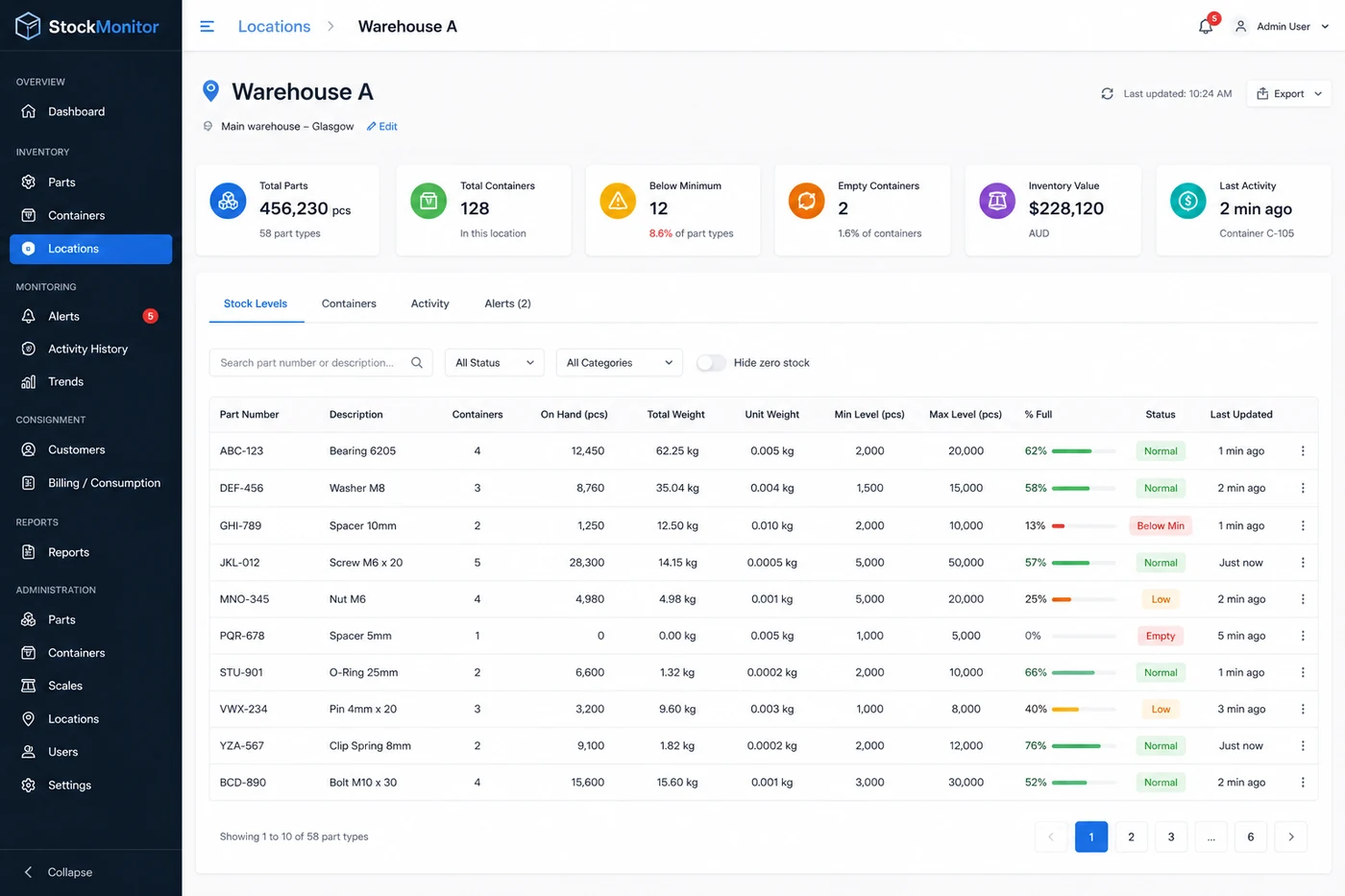
Vendor-managed inventory (VMI) is when a supplier monitors and replenishes stock at the customer's site. With Maxi Bin, a scale under each bin reports the part count to the StockMonitor app, so the supplier sees stock levels and gets low-stock alerts without visiting to count. It works with any supplier, not just one distributor.
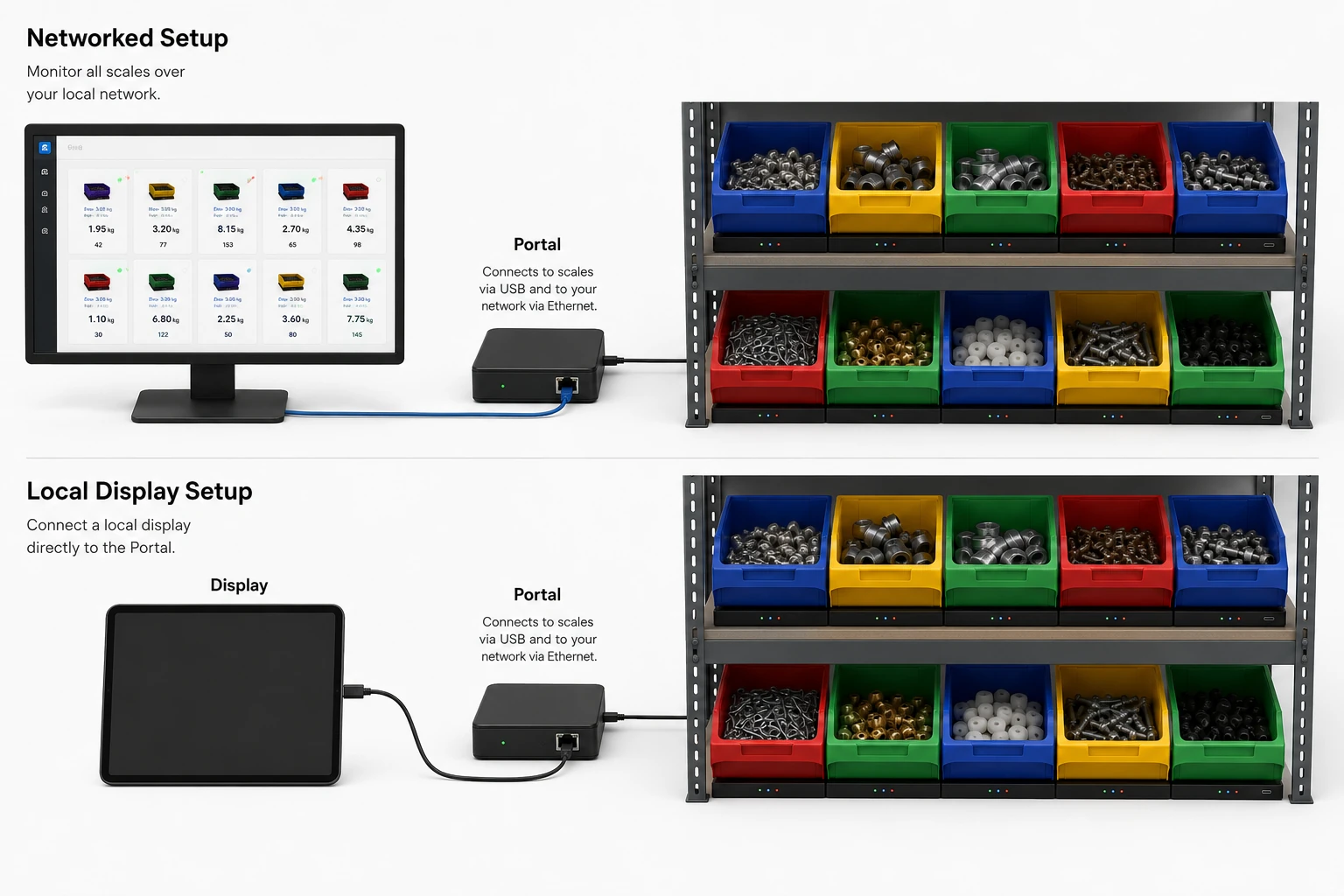
Scales at the customer, data on your screen.
The Gateway connects the customer's bins to your network. You see every bin from your desk — no visits to count.
What VMI programs deal with.
Reps driving to count bins
Your reps visit customer sites to visually check bins and guess reorder quantities. Every visit costs time, fuel and a person who could be selling. And the count is still a guess.
Consignment stock untracked
Stock sits at customer sites with no reliable count of what has been consumed. Invoicing relies on memory or periodic reconciliation that is always late and often wrong.
Over-stock or stock-out
Without real data, reps over-fill bins to avoid complaints — tying up your cash. Or they under-fill and the customer runs out, which risks the account.
The scales sit at the customer. The data comes to you.
Remote visibility
Every bin at every customer site reports its count to your dashboard. You see what is running low from your desk — no visit needed.
Invoice on actuals
The system records exactly what was consumed and when. Bill the customer on actual usage, not on estimates.
Replenish before they ask
Low-stock alerts tell you when to send more. The activity log shows how fast each bin is used, so you know how much to send. The customer never runs out and never has to chase you.
Can you run VMI with any supplier?
You own the view
The scales and StockMonitor account sit with you. Your stock data stays in your account and exports to CSV.
Suppliers get access, not control
Low-stock and empty alerts can go straight to a supplier's inbox without a login, or add their rep as a Viewer to see live bin levels, the same as a distributor-run program.
Switch without ripping out bins
Change supplier by changing who has access. Nothing on the shelf moves. How supplier-independent bins work.
Frequently asked questions
What sensors does vendor-managed inventory need?
For bins of small parts, a weighing scale under each bin is enough. It reports the count to the cloud, so the supplier can see stock levels without visiting. No tags, cameras or scanning are needed.
Can a customer run VMI with any supplier?
Yes. Maxi Bin is not tied to a parts distributor. The customer can send low-stock alerts to any supplier's email address, with no login needed, or add the supplier as a Viewer to see live levels, and change supplier without changing the hardware.
Do I need a separate system for each customer site?
Each site needs its own scales and a Gateway to connect them to the network. All sites report into StockMonitor, where each location keeps its own bins and time zone. If you manage stock for several customers, you switch between them from one login.
How often do stock levels update?
Each scale reports once a minute.
Related guides
Have a question about your parts or bins?
Ask it here. It goes straight to the people who design the system, and we reply by email. No sales call needed.
See your customer bins from your desk.
Tell us how many sites and bins you manage and we will build a system around your VMI program.