See what is in every bin, from any device.
A cloud app that turns scale readings into a live inventory view. Dashboard, alerts, activity log, export and an API for your ERP — all in a browser, nothing to install.
Already a customer? Sign in to StockMonitor →
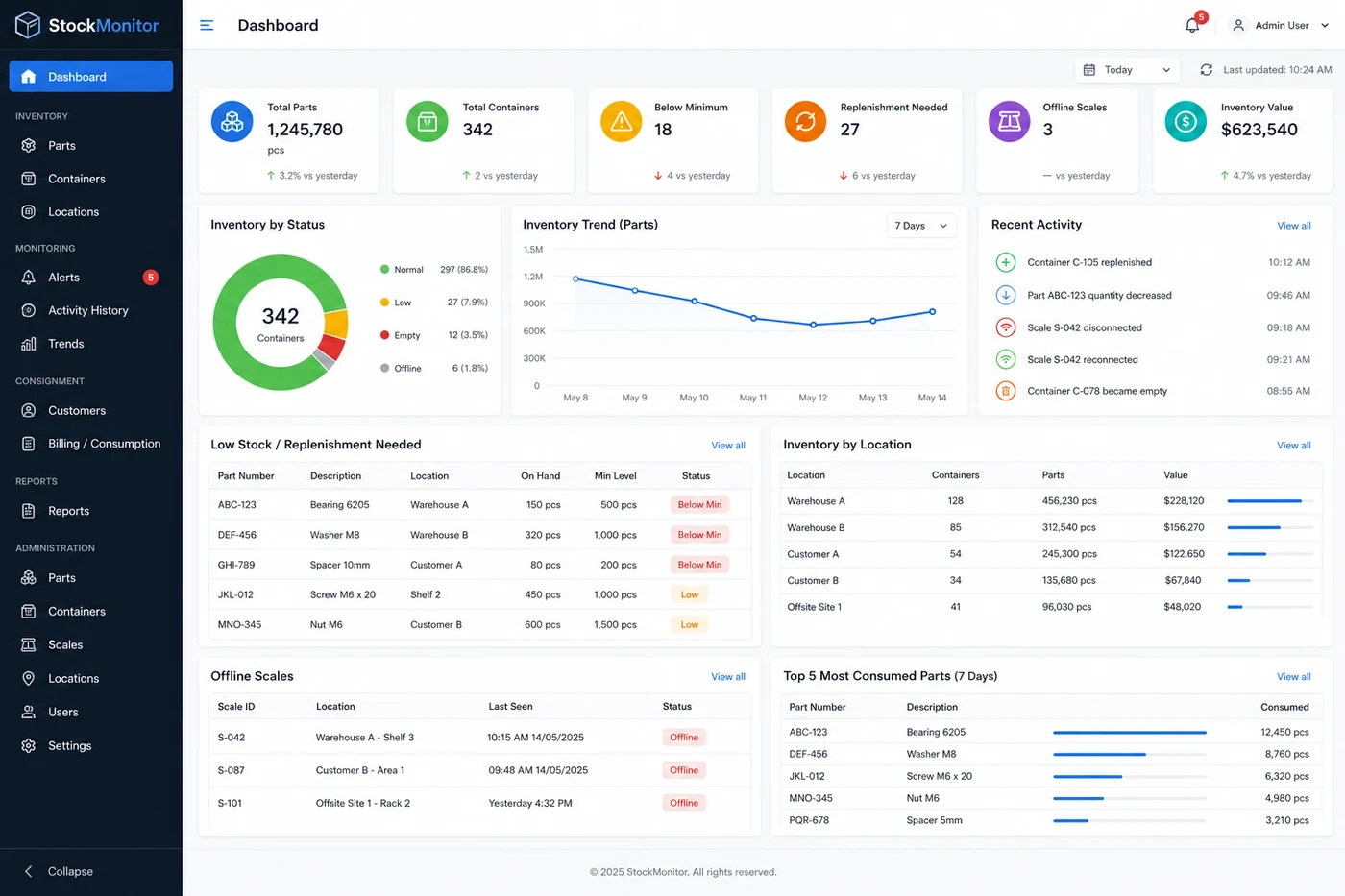
Everything you need to run a storeroom.
Full picture at a glance
Total parts, bins below minimum, empty bins, offline scales and active alerts on one screen. Pages refresh themselves every 30 seconds.
Every bin, every count
Count, maximum, % full and status for every bin: Normal, Low stock, Empty, Overfull or Offline. Search, filter by status or location, and sort.
Know before it runs out
Low stock, empty, overfull, scale offline and gateway offline. Each alert is emailed to the people you choose, per location and alert type, and can be acknowledged.
Alerts that don't cry wolf
An alert opens only after three readings in a row, clears only once stock is back above the minimum plus a margin, and isn't emailed again for 30 minutes.
What changed and when
Stock taken and replenished with the new count, alerts opening and clearing, and calibrations. Filter by date, bin or type, in each site's local time.
Get data in and out
Download stock levels, activity and bin configuration as spreadsheets. Set up locations, parts, scales, bins and alert recipients in bulk from a spreadsheet.
Set up a whole site in one walk
Hold a scale's Calibrate button, add or remove a counted handful of parts, press it again, move on. A 100-bin site takes about an hour and a half.
Stock levels straight into your ERP
Systems such as Sage X3 read stock levels and alerts through the StockMonitor API. Each system gets its own read-only key, which you can revoke at any time.
Secure by default
Two-step sign-in for every user. Admins set things up; Viewers see everything and acknowledge alerts. Multiple sites, each in its own time zone.
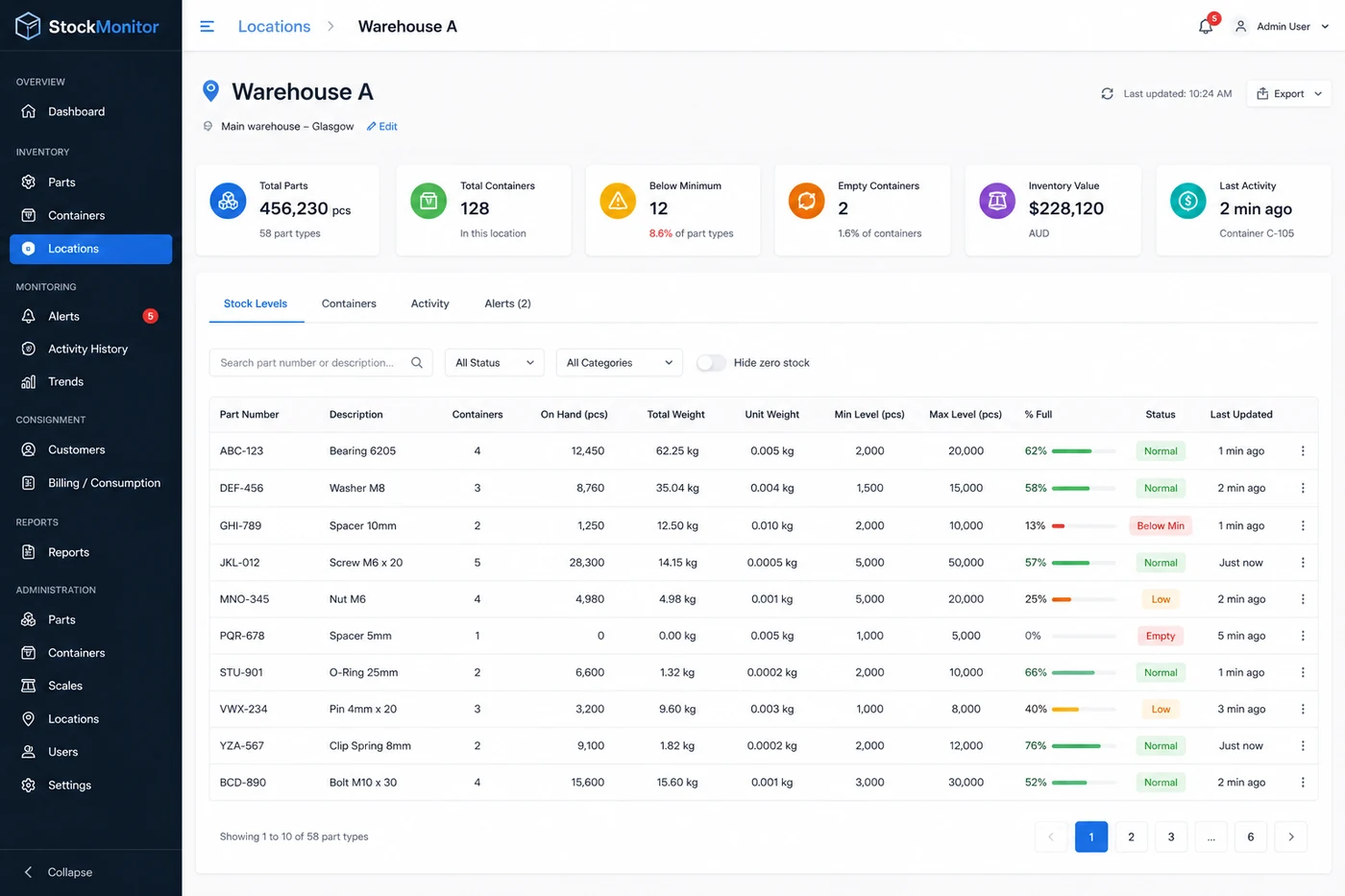
Filter, sort and find any bin instantly.
See on-hand quantity, min and max levels, percentage full with a progress bar, and when each bin was last updated. Tap any bin to see its count, min and max levels, calibration details and recent activity.
One login for every site. Alerts to whoever needs them.
Each location is a site, such as a plant or warehouse, with its own time zone, so every time you see means the same thing on the floor. Admins set things up and calibrate; Viewers see everything and acknowledge alerts. Alert emails can also go to people without a login, such as a shared purchasing inbox or your supplier. If you look after stock for several companies, you switch between them from the same account.
Have a question about your parts or bins?
Ask it here. It goes straight to the people who design the system, and we reply by email. No sales call needed.
See it running on your own bins.
Tell us the parts you hold and we will show you the count in the app.