Your maintenance team should be fixing machines, not counting parts.
The storeroom manages itself. Counts are always current, low bins flag automatically, and the quarterly stocktake that pulls two people off the floor goes away.
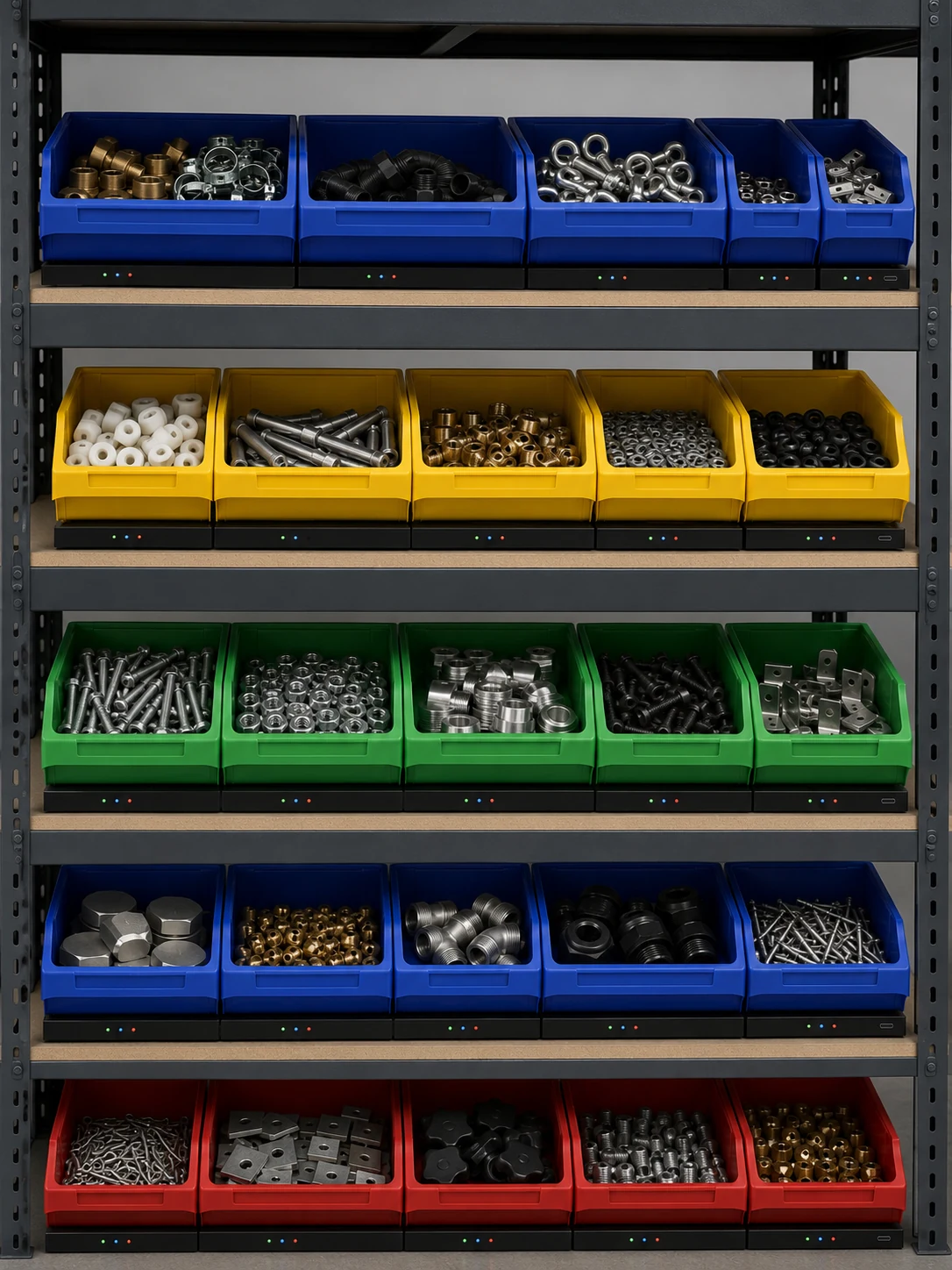
MRO storeroom inventory can be tracked automatically by putting a scale under each bin. The scale counts parts by weight and reports to a dashboard, so maintenance teams see what is in stock without walking the store, low bins are flagged before they run out, and the periodic stocktake is no longer needed.
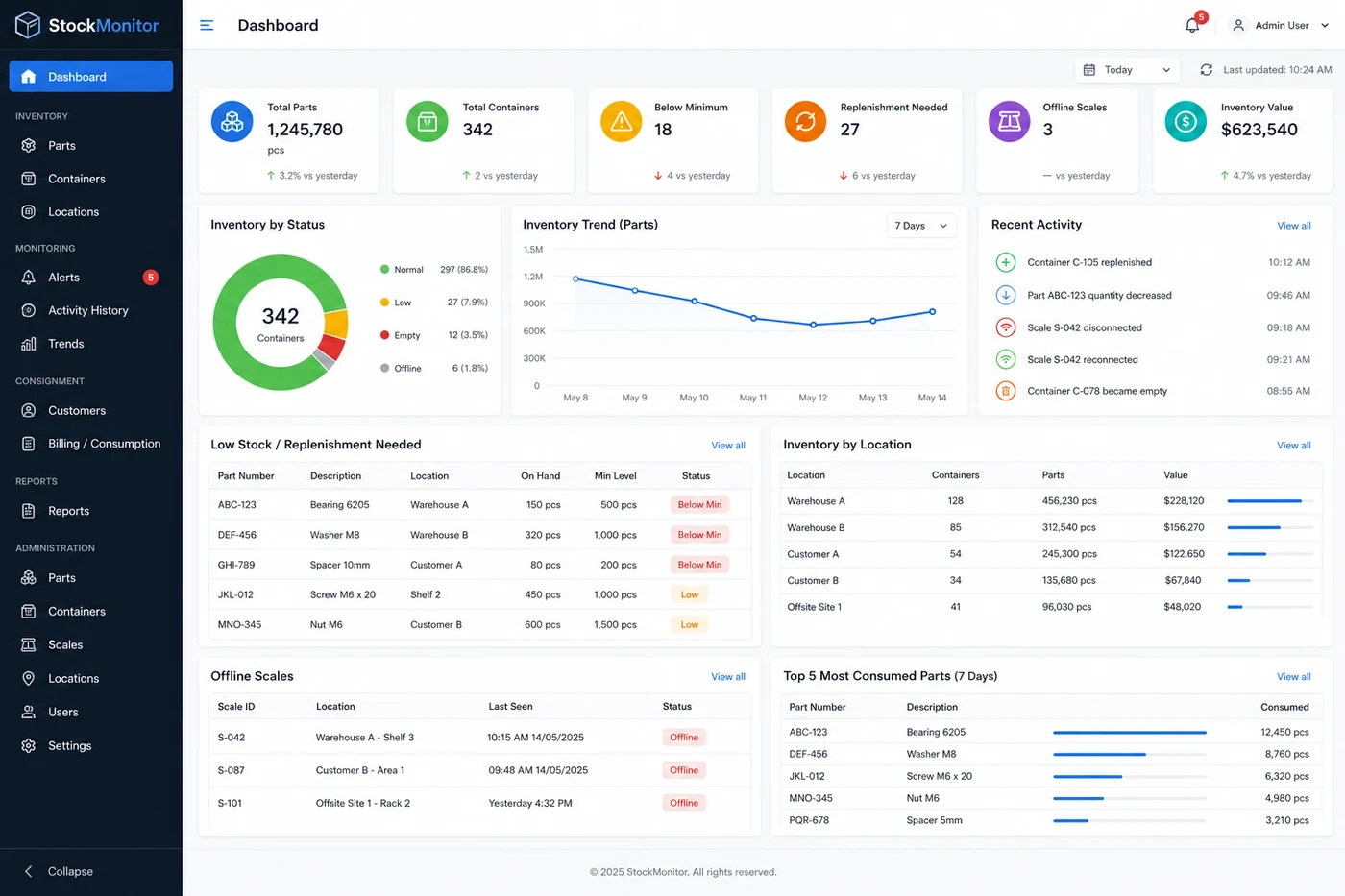
Every bin on one dashboard, always current.
Part counts, low-stock flags and recent activity — visible from any device without walking the store.
What inventory problems do MRO storerooms have?
Technicians waiting for parts
A technician walks to the storeroom, finds the bin empty, and waits for an emergency order. The machine stays down. The job that was supposed to take an hour takes a day.
Stocktakes that cost real time
The quarterly count takes two people off the floor for a full day. By the time it is entered, it is already wrong. And next quarter, the same exercise starts again.
A spreadsheet nobody trusts
Parts are drawn from bins but not always recorded. The spreadsheet says 50 in stock. The bin says otherwise. Purchasing reorders too early or too late because the numbers are unreliable.
How does automated bin counting work in a storeroom?
Storeroom runs itself
Every bin reports its own count. Technicians take what they need. The system tracks what was taken and when — no sign-out sheet, no barcode scan, no data entry.
Stocktake replaced
The count for every bin is always current, so there is nothing to reconcile. The quarterly count that costs two person-days simply goes away.
Reorder on real data
The activity log shows how fast each part is used. Set minimum levels and reorder points based on what actually gets consumed, not on guesswork.
Frequently asked questions
Do technicians need to sign parts out?
No. Technicians take what they need as normal. The scale records the change in the bin, and the activity log shows what was taken and when.
Will it work with our CMMS or maintenance software?
ERP systems such as Sage X3 can read stock levels through the StockMonitor API with a read-only key. Stock levels and history also export to CSV.
How long does installation take?
Minutes per bin. The scale slides under your existing bin on your existing shelving, and scales connect to each other with USB-C.
Does it replace the stocktake?
For monitored bins, yes. Every bin reports its count continuously, so there is no periodic count to reconcile.
Have a question about your parts or bins?
Ask it here. It goes straight to the people who design the system, and we reply by email. No sales call needed.
See it in your storeroom.
Tell us the parts you hold and we will size a system to your store.